Kitchen Display System
The kitchen display for your venue — no more paper slips.
Orders appear on the screen in real time — sorted by status, with timer and color-coded urgency. Your kitchen team immediately sees what needs to be done next.
Nicht bei Google? Tippe einfach deinen Restaurantnamen ein und leg direkt los.
What is a kitchen display (KDS)?
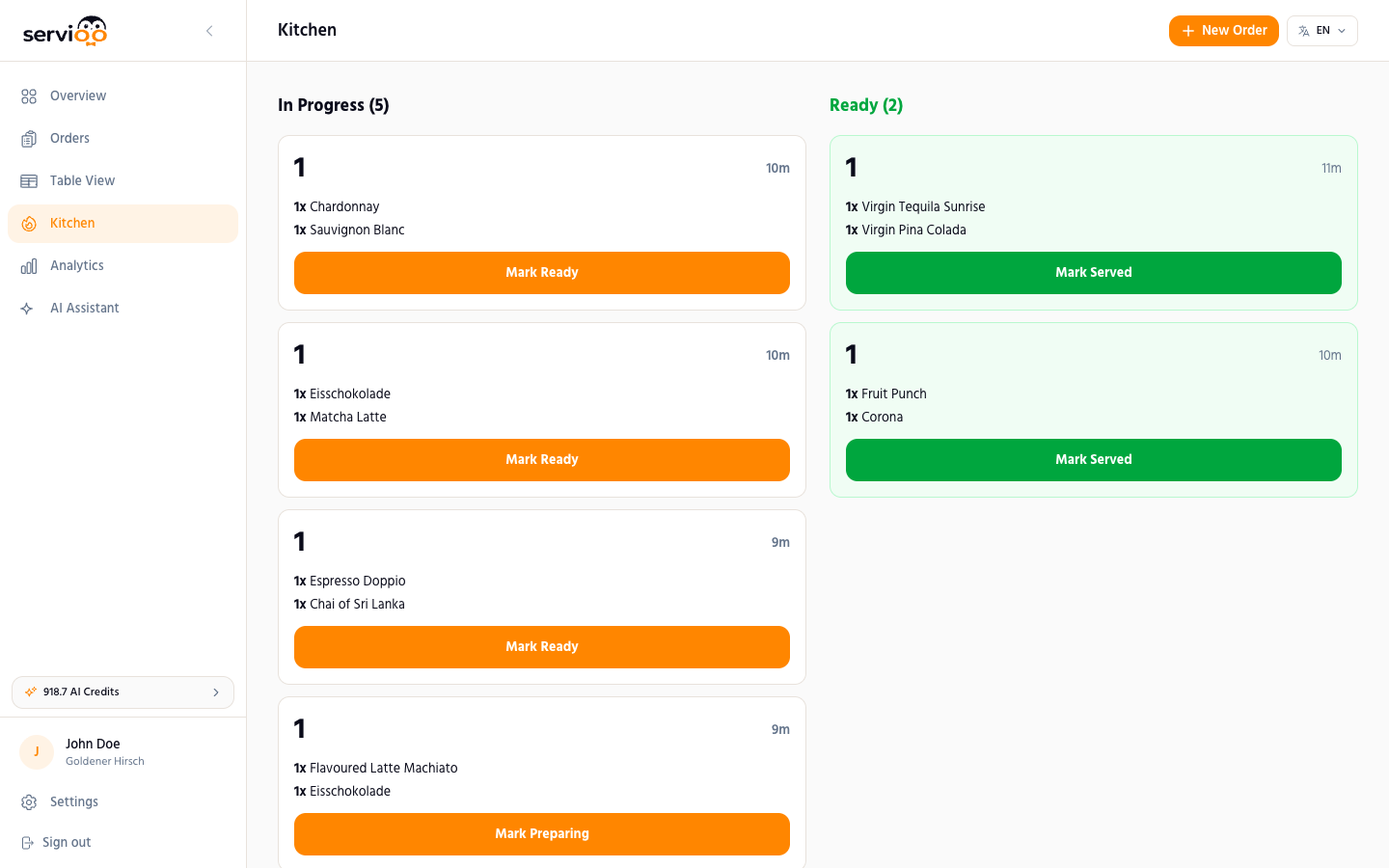
A Kitchen Display System (KDS) replaces the traditional order printer and paper chaos in the kitchen. Orders appear digitally on a screen — in real time, sorted by arrival, and with all details. The kitchen team sees the table number, ordered dishes, modifiers (e.g., "no onions"), special requests, and a timer showing how long the order has been waiting. With a click, the status is updated — the service team immediately sees when a dish is ready.
Real-time synchronization with the ordering system
The kitchen display from servioo.ai is directly connected to the QR ordering system. As soon as a guest submits their order, it appears within one second on the display. No printer, no intermediate step, no manual transfer. Updates happen automatically every 5 seconds — or instantly via Pusher real-time events.
Color-coded urgency
The longer an order waits, the more urgent it becomes — and the kitchen display shows this with color coding. New orders appear neutral, after a few minutes they turn yellow, then orange, then red. This way, the kitchen team always has an overview of which orders have priority, without having to check clocks.
Flexible hardware — no special device needed
The kitchen display runs in the browser. You can use a tablet, an old monitor, an affordable smart TV, or a rugged industrial tablet. All it needs is an internet connection and a browser. No special device, no expensive hardware, no installation.
Frequently Asked Questions
Do I need special hardware for the kitchen display?
No. The kitchen display runs in the browser — on tablets, monitors, or smart TVs. An internet connection is all you need.
How quickly do orders appear on the display?
In real time — within 1 second of the guest submitting the order.
Can the kitchen team change the order status?
Yes. With a click, the status is changed from "Preparing" to "Ready". The service team sees the change immediately.
Is the kitchen display included in all plans?
Yes. The kitchen display is included in all servioo.ai plans — starting from the Starter plan.
Discover more features
Try the kitchen display free for 14 days
No more paper chaos. Orders on screen in real time. No credit card required.
Nicht bei Google? Tippe einfach deinen Restaurantnamen ein und leg direkt los.